How We Create a Customized Proloquo Setup for Giulietta

Gathering Information and Setting Goals
We began by understanding where Giulietta was in her communication journey, what she could already express and what motivated her to communicate. We closely observed her interests in music, food, books, and learning, recognizing that these are the moments when she is most engaged and eager to communicate. From there, we identified meaningful goals tailored to her needs, including building independence, expanding vocabulary related to her interests, and developing confidence using her iPad across all environments.
Choosing Core and Personal Vocabulary
We focused on core words that Giulietta could use anywhere, for example, go, want, more, like, help, and all done. We also added personalized “fringe” words, which is vocabulary that’s more specific to Giulietta’s life, like the names of her favourite people, foods, books, and activities. Keeping both core and fringe words visible and easy to access helped Giulietta connect the words she saw on her screen with the ones she heard throughout her day.
Organizing the Layout
We customized Giulietta’s Proloquo pages to make navigation as simple as possible. We organized the layout to follow a left-to-right flow of communication, starting with verbs and core action words, followed by nouns, and other parts of speech that help her build complete sentences. Over time, this consistency has helped Giulietta move more confidently between pages and folders on her iPad.
Incorporating Reading and Early Literacy
Giulietta loves letters and words, so we built that into her everyday learning. We added sight words and paired symbols with written text to help her recognize them visually. We created practice buttons on the iPad, made laminated versions for hands on practice, and incorporated iPad games to make learning interactive and engaging. We also included simple alphabet activities during the day so she could start connecting letters, sounds, and meaning.
Making It Consistent and Accessible
By maintaining a consistent layout, Giulietta did not need to continually relearn the location of buttons as her communication system expanded. Keeping the layout stable supports motor planning, making it easier for her to find and use vocabulary independently over time.
This approach also made it easier for those supporting Giulietta to model language and sentence structures consistently, giving her regular opportunities to observe how words can be combined to communicate more complex thoughts and ideas.
In addition, we ensured that her iPad was accessible throughout the day, allowing her to communicate her wants, needs, thoughts, and ideas as independently as possible across a variety of settings and activities.
Modelling and Daily Use
We make a strong commitment to modelling the use of Giulietta’s iPad throughout the day. We would use her device as we communicated with her. We also created specific activities to encourage back-and-forth communication: for example, the support worker uses a separate iPad to model sentences while another iPad is used to talk about shared topics, like things we “like” or our daily experiences.
Monitoring
We didn’t set up her iPad once and leave it, we continuously adjust and refine as a team. We notice what might need to be moved or added. Sometimes that means editing a page; other times, it means expanding her vocabulary as she’s ready for more. By regularly reviewing and updating the system together, we ensure it continues to reflect her evolving communication needs and supports what works best for her.
Using It in Different Settings
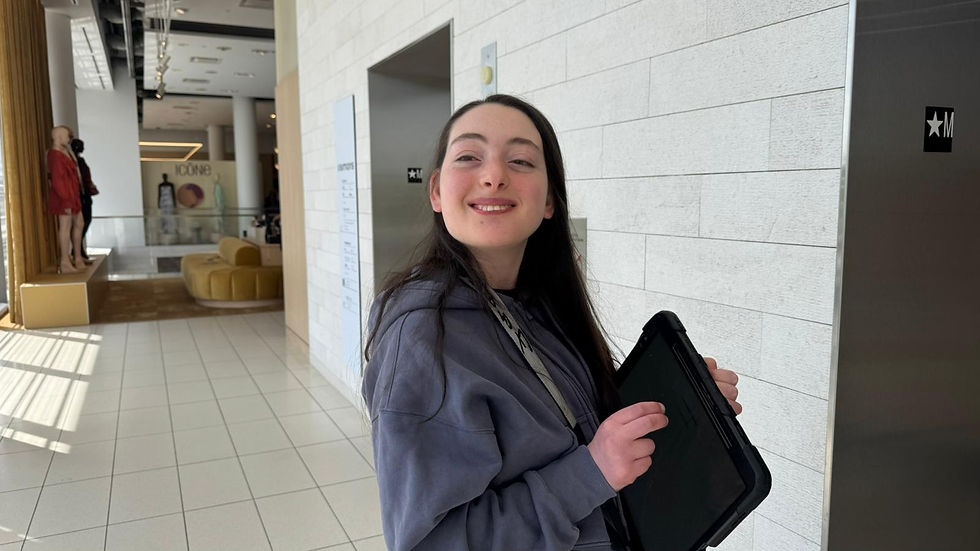
We encourage Giulietta to use her iPad not just at home, but also in the community. Whether it’s finding food at Loblaws, visiting the library, navigating the mall, participating in her social program, helping with meal preparation, or communicating where we are going and what she needs to do, we make sure her iPad feels like her voice everywhere she goes. The more natural it becomes in these different settings, the more confident she gets.
Building Ownership and Confidence
We make sure to celebrate every moment of independence, whether it’s learning a new word, using a word in a different activity, communicating with peers, or navigating her device on her own.
This process has been ongoing and constantly evolving. What we’ve learned is that creating a customized setup isn’t about finding the “right” way, it’s about finding your way. We hope sharing our experience helps others find strategies that are helpful!


Comments